Steps to Create a Gaming room in the home
27 September 2025
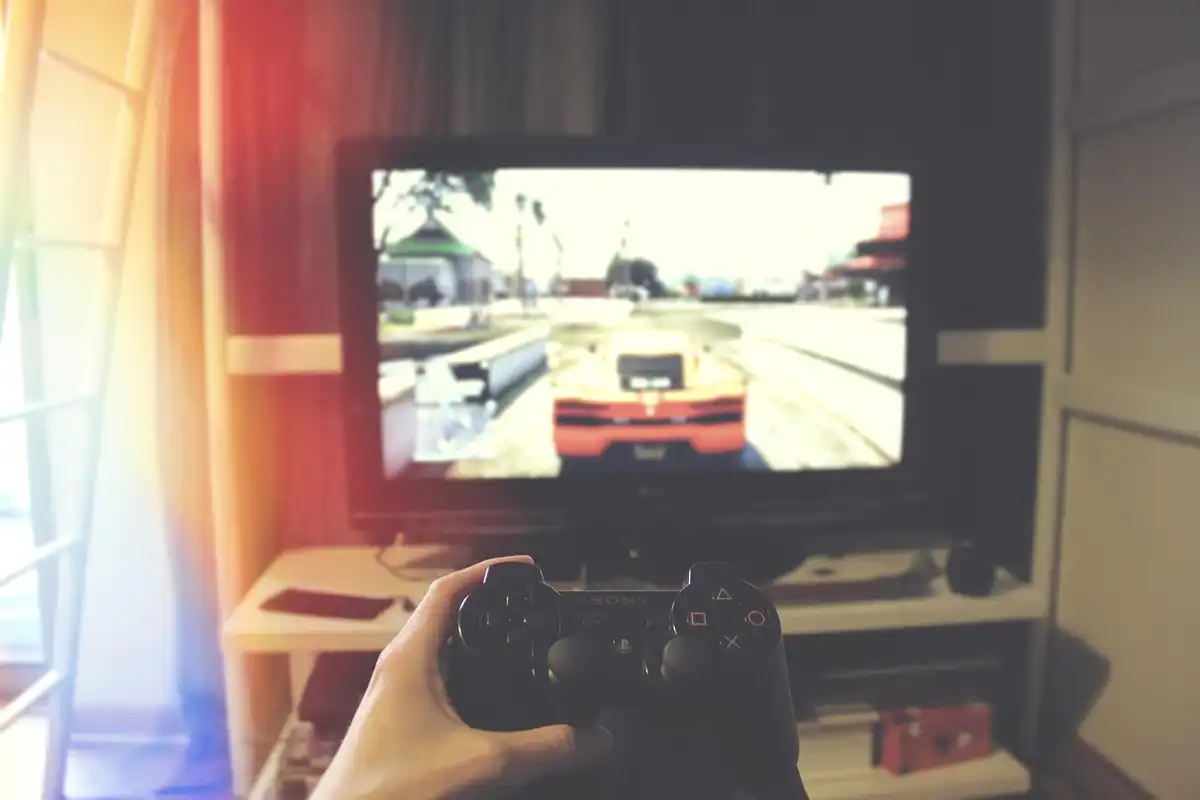
More people than ever are looking to create a dedicated space where they can escape to a virtual world. Whether you’re a competitive gamer or someone who enjoys an evening of free bingo, a well-designed gaming room can enhance the experience.
With a few simple steps, you can transform a corner of your home into a space that is not only practical and comfortable but also tailored to your personal style and preferences.
- Choose the Right Room
Ideally, you want to choose a room that is quiet enough to avoid constant distractions but not too far from the heart of the home. A spare bedroom, a basement corner, or even a loft space can work well, but consider how much natural light you want. Rooms with windows can cause glare on screens. If possible, pick a room you can control in terms of lighting and temperature, ensuring a consistent gaming environment.
You’ll also want to consider the amount of space you’ll need to move around comfortably. You’ll want room for your gaming chair, a console or PC setup, and possibly a storage unit for games and accessories.
- Prioritise Comfort
Invest in a good-quality chair that provides support, especially if you’re into marathon sessions. A gaming chair can offer excellent ergonomics, but even a well-cushioned office chair can work just fine. Look for one with adjustable features, including height and lumbar support, to ensure you’re comfortable for longer periods.
Think about where you’ll keep your essentials. A side table for snacks, drinks, or a controller charger can help keep your gaming space neat and functional without causing clutter.
- Focus on Technology Placement
Organise your gaming gear with shelves or dedicated storage to prevent cables from becoming an untidy mess. Cable management solutions, like clips or ties, can help you keep everything neat and prevent wires from interfering with your gameplay. Make sure your power sources are easily accessible, especially if you have several devices plugged in at once. Also, consider placing your speakers or sound system strategically to enhance audio quality and avoid muffled sound.
- Set the Mood with Lighting and Sound
Here are some tips to optimise the lighting and sound in your gaming room:
- Avoid overhead lights: They can cause glare on screens and create uneven lighting.
- Use LED strip lights: Place them along the edges of your desk or behind your TV for a subtle, ambient glow.
- Install dimmer switches: These allow you to adjust the brightness based on the time of day or your mood.
- Consider smart lighting: You can control it with voice commands or an app, adding a touch of convenience and flair to your space.
- Headphones for immersion: A quality pair can make all the difference, especially in competitive gaming, where sound cues are essential.
- Speakers for social gaming: Invest in a good set of speakersto fill the room with rich sound when playing with friends or family.
- Improve acoustics: Soft furnishings like curtains, cushions, or rugs can help enhance the room’s sound quality and reduce echoes.
- Add Personal Touches
Incorporating personal touches not only makes your gaming room more enjoyable but can also boost the sense of ownership and pride you feel in the space. The key is to strike a balance between functionality and aesthetics, ensuring that each item serves both a practical and decorative purpose.
Comments on this guide to 5 Steps to Create a Gaming room in the home article are welcome.
Lighting Articles
Lighting Posts
Getting your home filled with light
How Lighting Influences Mood and Productivity
Tips To Choose the Right Lighting for Your Home
++
Building Articles
Residential Architecture
Comments / photos for the 5 Steps to Create a Gaming room in the home page welcome